How It Works
From Zero to Multilingual in 4 Steps
No plugins. No monthly fees. No coding. Download, connect, and start translating.
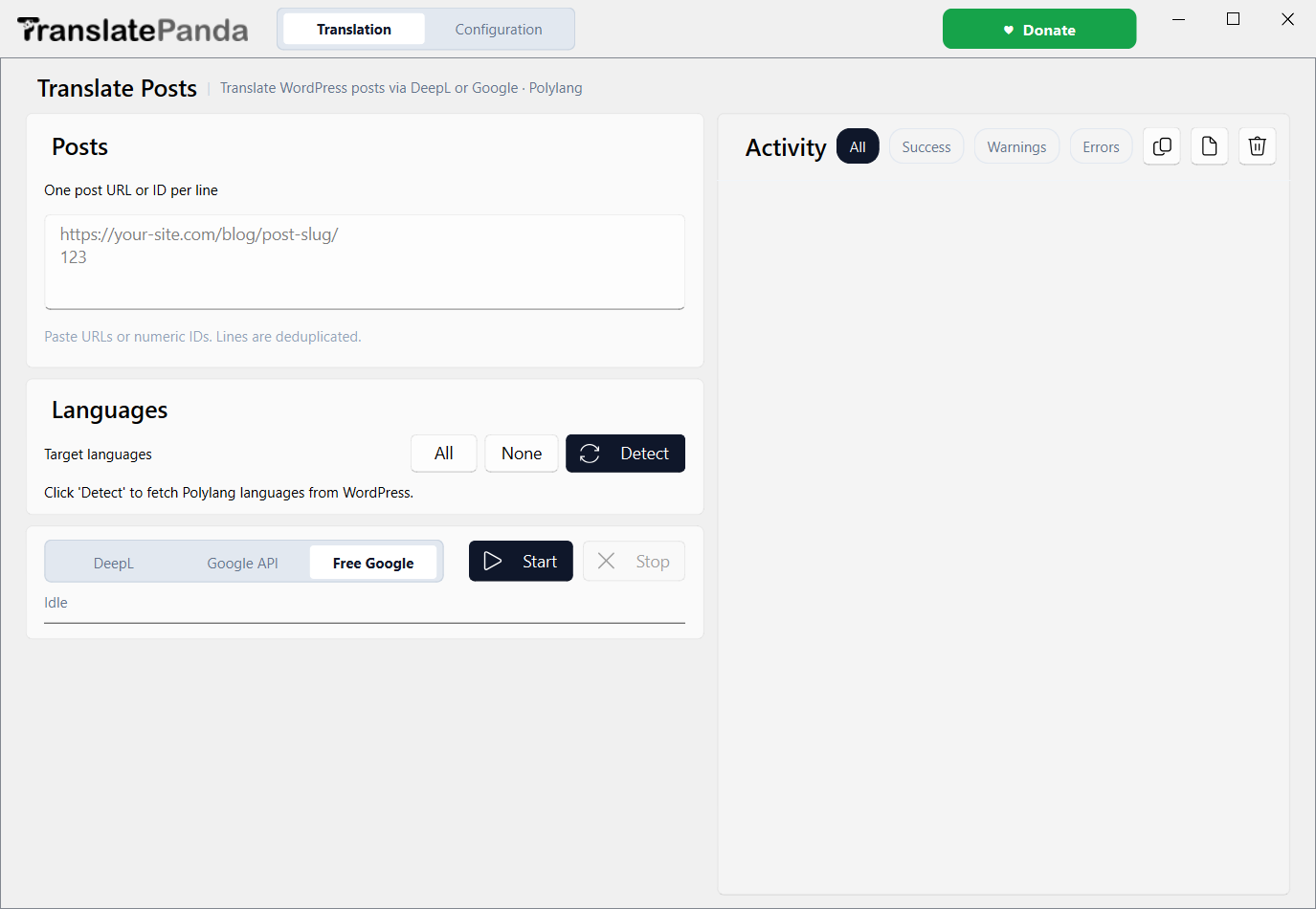
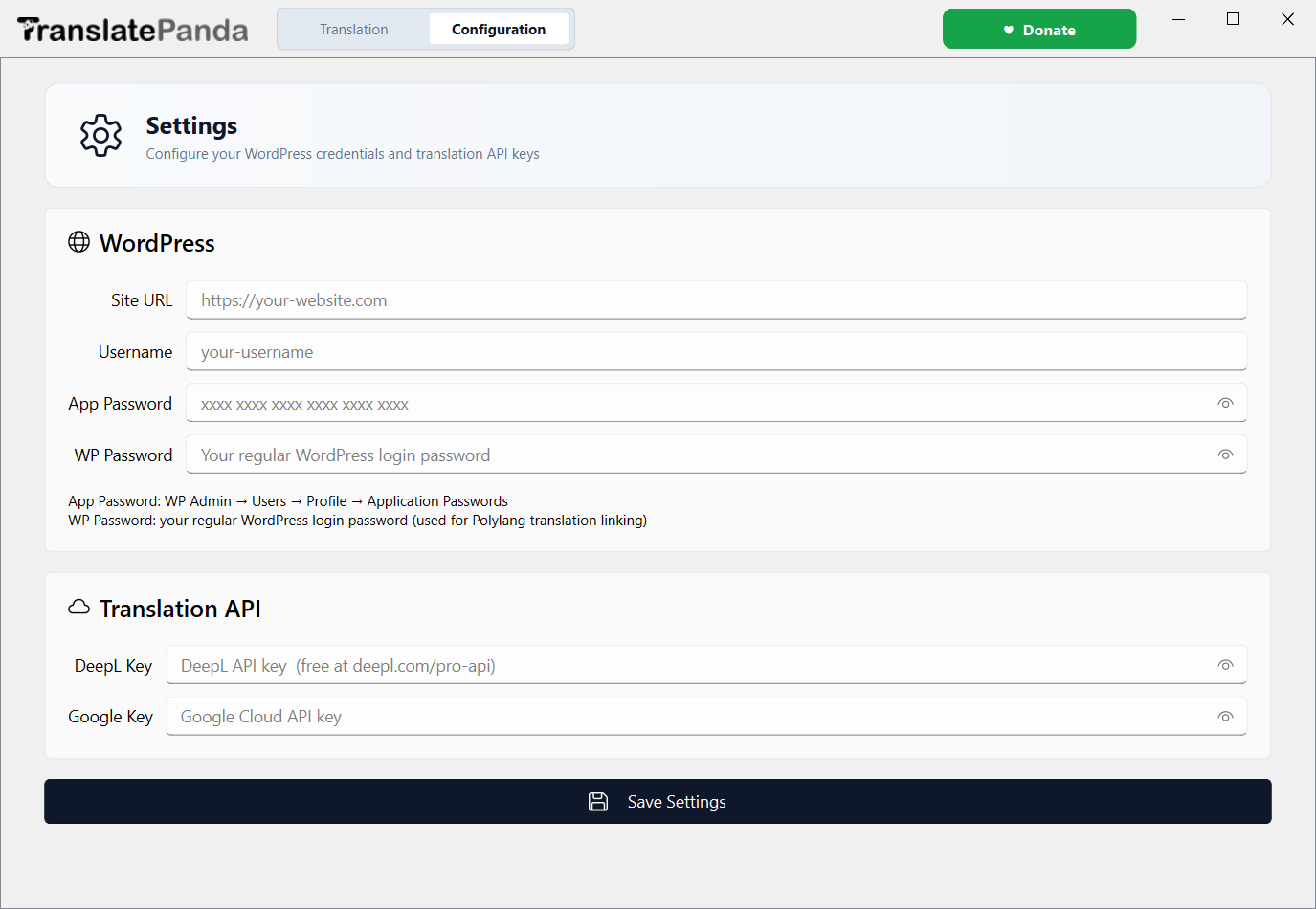
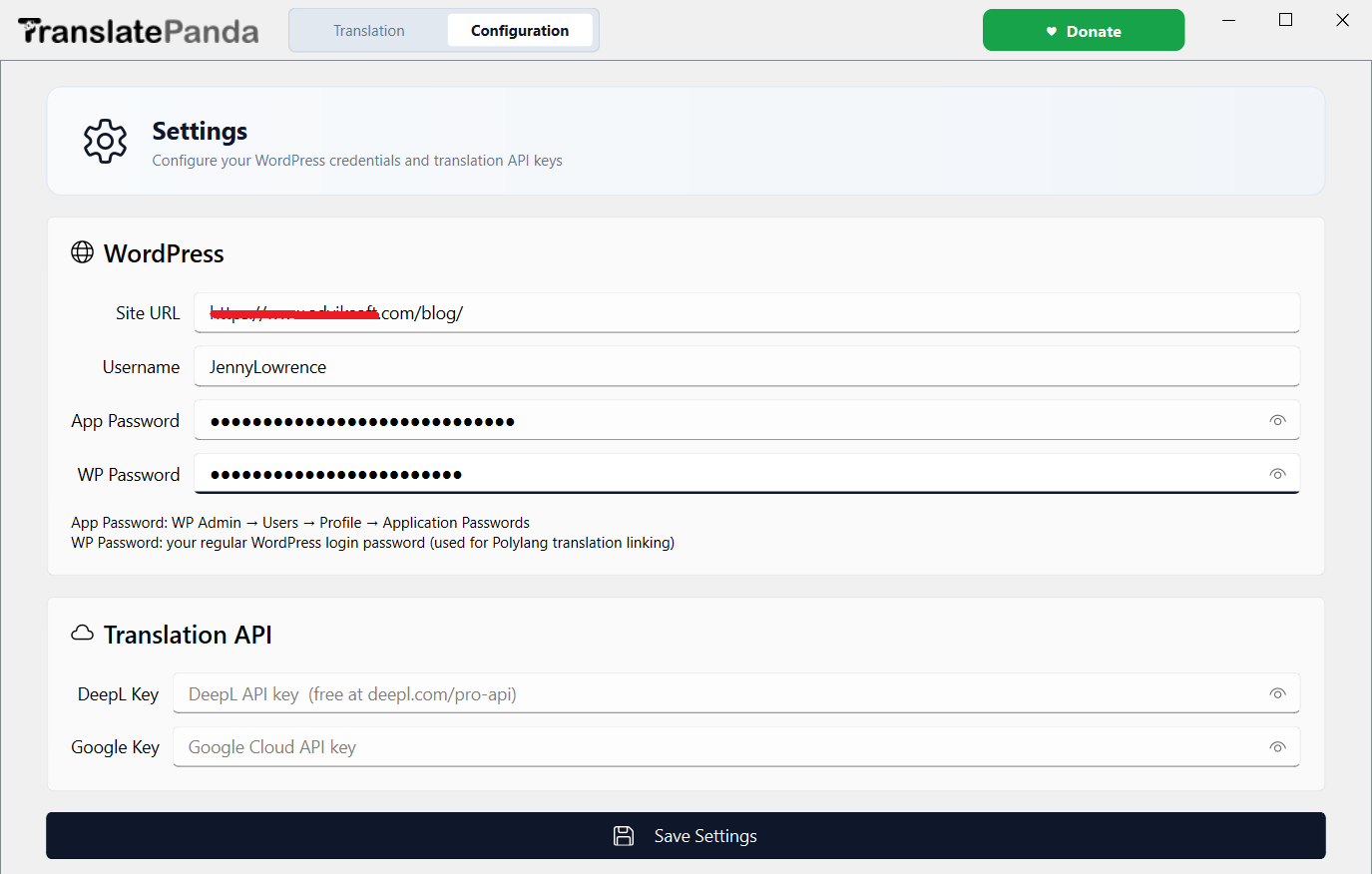
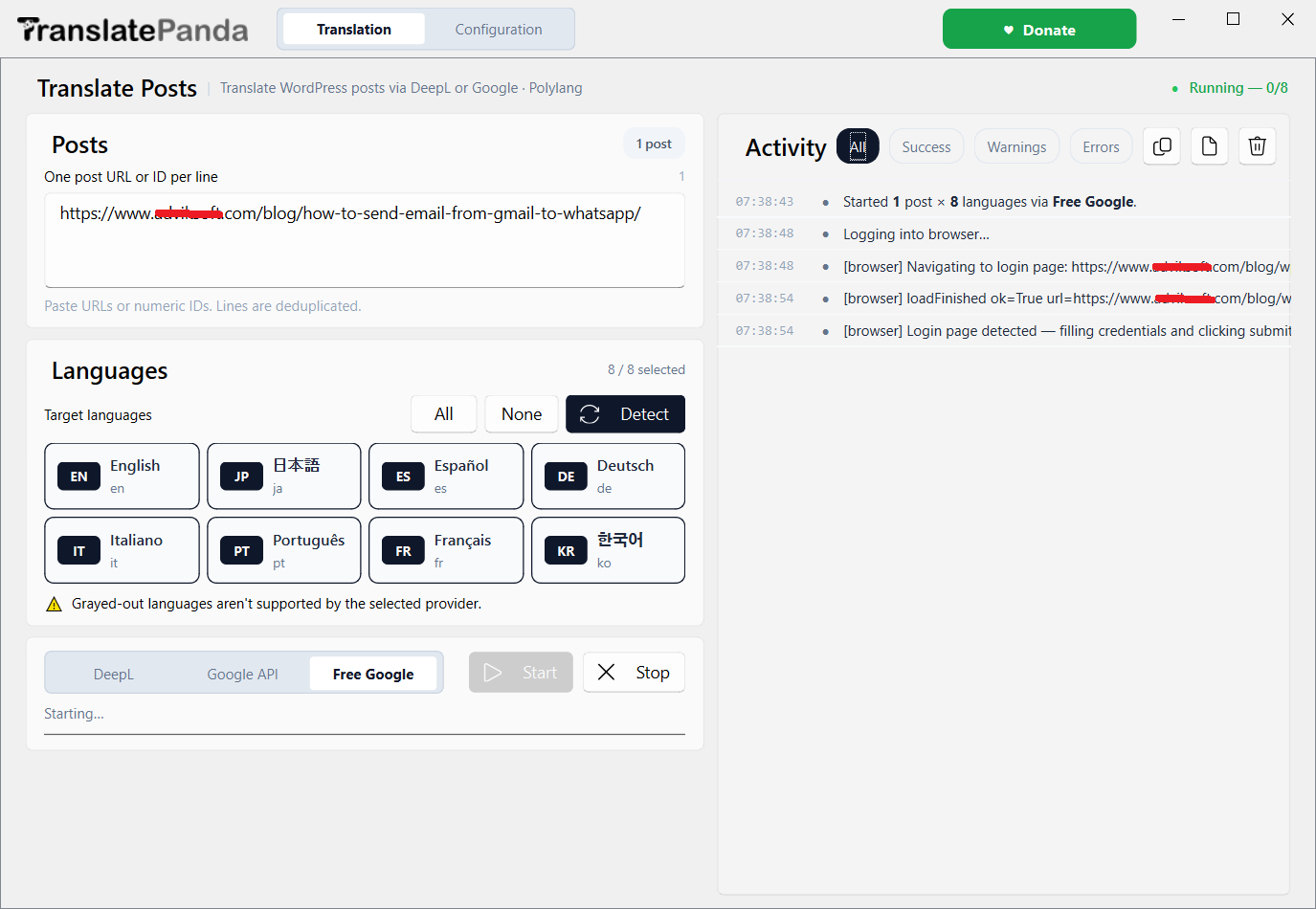
Translate Panda is a NextGen application that convert Wordpress blog into multiple languages in one click. You don't have to translate the blog manually from now. This automatic blog translation software will translate and publish the article automatically. Translate Panda is open-source and is absolutely FREE for Windows users. Just sit back and get relaxed. Translate Panda will take care of your job.
Every second matters. A slow WordPress site loses visitors before they even read your first word. Here are the plugins that will transform your site's performance overnight.
You built a great blog. The content is solid, the design is clean, and readers are coming. But you know deep down — most of the world can't read it.
Translation plugins are expensive. Hiring a translator for every post is not sustainable. And copy-pasting into Google Translate destroys your formatting, loses your SEO slugs, and eats hours you don't have.
There had to be a better way. So we built one.
A free, lightweight Windows desktop application that connects directly to your WordPress site via the REST API and translates your posts into any language and publish automatically — in bulk, preserving every heading, image, link, and custom field.
Translate 50 posts in the time it used to take you to do one. Batch processing with progress tracking.
No subscriptions, no per-word pricing, no upsells. Translate Panda is free software built by a blogger who needed it.
Free ForeverRuns locally on your Windows PC. We don't store your credentials or log activity anywhere.
Built by a WordPress blogger who spent too many nights manually translating and publshing content. Every feature solves a real pain point.
Select all posts, a category, or a custom range. Translate dozens at once while you grab a coffee.
From Spanish to Japanese, Hindi to Arabic (RTL). Uses Google Translate API under the hood — reliable and fast.
Headings, bold, italics, tables, images, links — all preserved exactly. No manual cleanup after translation.
Connects to any self-hosted WordPress site. Just enter your URL and Application Password — that's it.
Already translated a phrase? Translate Panda remembers and reuses it — saving API calls and keeping tone consistent.
Push translated posts as Drafts for review, or Publish directly. You're in full control of what goes live.
Translates Yoast SEO title, meta description, and focus keyword fields too. Rank globally from day one.
Internet dropped at post 23 of 50? Translate Panda saves progress and resumes exactly where it left off.
Every session is logged. Know exactly what was translated, when, and to which language. Roll back if needed.
No plugins. No monthly fees. No coding. Download, connect, and start translating.
I'm a WordPress blogger with sites in three niches — tech, travel, and finance. When I decided to expand into Spanish and Hindi markets, I faced the same wall every blogger does: the tools either cost a fortune, required a plugin that slowed my site down, or produced formatted garbage I had to fix by hand.
So I spent four months building Translate Panda — a simple Windows app that does exactly what it says. No bloat, no SaaS pricing, no data going somewhere I don't control. Just a tool that solves the problem.
I use it myself every week. It's not perfect — the known bugs list is real and honest — but it works reliably for the core job: getting your content in front of a global audience.
Honest reviews from WordPress bloggers and site owners who use Translate Panda in their actual workflow.
"I run a travel blog with 200+ posts. I used Translate Panda over a weekend to publish a Spanish version of my entire site. What would have taken me months took two days. Absolutely insane value for free."
"I was sceptical a free tool could do this. I tested it against a $49/month plugin. The output quality was genuinely comparable. My formatted posts came through perfectly — headings, bolded text, everything. I donated immediately."
"A few rough edges but the core feature works great. I love that the bugs are listed openly on the website — it shows the developer is being honest. Would love WooCommerce product support in a future version."
"The translation memory feature is underrated. After running my first batch, subsequent jobs for the same site were noticeably faster — it reused phrases consistently. My brand voice stayed intact across languages."
"I was paying $29/month for a plugin that did half of this. Cancelled it the same day. This is the kind of project the community needs — a solo dev solving a real problem and sharing it for free. Respect."
"Translate Panda Works perfectly for my WordPress multisite. I wish there was a Mac version, but the creator is transparent about it being Windows-only for now. The resume-interrupted-jobs feature saved me twice already."
Translate Panda is under active development. Every release makes it more reliable, faster, and feature-rich — driven by user feedback.
View Full Changelog on GitHubTranslate Panda is built around real user needs — no investor roadmap, no quarterly OKRs. Use the form to submit your idea and it'll be reviewed personally.
Thank you! Your idea has been added to the community board. If you left your email, you'll hear from us when it moves forward.
Also post on GitHub DiscussionsPrefer GitHub? Open a Discussion →

Translate Panda will always be free. But if it saved you hours of work — or helped you reach an audience you couldn't before — consider buying me a coffee. It helps cover server costs, API testing, and the time I put into development.
Recent supporters — thank you! 🐼
Finished, now Translate Panda will start translating your Wordpress Blogs into multiple languages. You can check the live processing in Activity section.
Join 2,400+ WordPress bloggers who are reaching global audiences — for free. Download takes 10 seconds. You can be translating your first post in under 5 minutes.